A DESIGNER'S VIEW
Why designers dread the back of a food pack
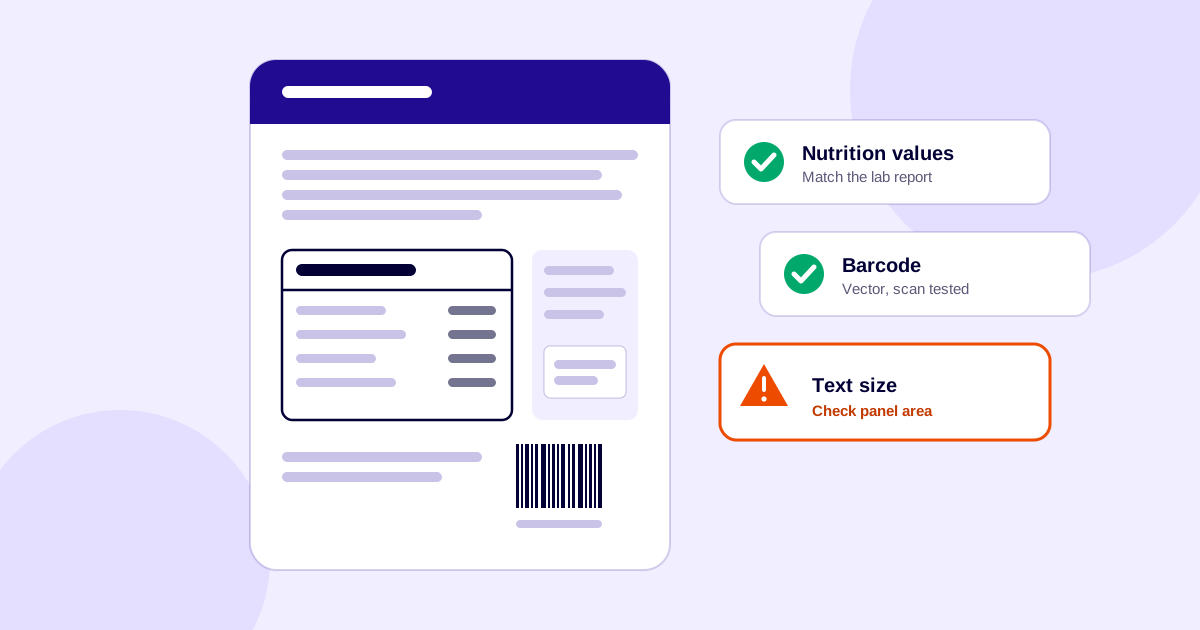
The front of a food pack is where the design happens: the hero image, the brand, the colour. The back is where the law goes. Most of the mandatory information ends up there, in whatever space is left, and it has to be readable, correct and approved. That is why the back of pack is often the part designers like least.
In my first job as a graphic designer, my senior designed the front of pack. They decided where every beautiful element went, then passed me the label to add the back-of-pack details. I was also the one speaking to the food technologist and the legal team. Then I'd go back to the senior designer and the rest of the team with the problem: there wasn't enough space. Should I make the font smaller? Every time I raised it, it felt like I was the one causing the delay. It took almost six to eight months before I got to design a front of pack myself.
1. It starts with 15 required items
Regulation 5 of the Food Safety and Standards (Labelling and Display) Regulations, 2020 lists what a label must carry: name of food, list of ingredients, nutritional information, veg or non-veg declaration, food additives declaration, name and complete address, FSSAI logo and licence number, net quantity with retail sale price and consumer care details, lot or batch identification, date marking, labelling of imported foods, country of origin for imported foods, instructions for use, food allergen declaration, and the symbol for food not meant for human consumption.
FSSAI says the product name and the veg/non-veg mark go on the front of the pack only. Most brands put the rest on the back or the side. So the back panel gets the nutrition table, the ingredient list, the allergen line, the address, the licence number, the dates and the instructions, plus the barcode and whatever else marketing still wants.
2. Text size is set by the front panel, not the back
The minimum height of numerals and letters depends on the area of the principal display panel (PDP), not on how much room is left on the back (regulation 6(3)). From 1 July 2022 the table is:
| PDP area (cm²) | Normal case | Blown, formed, moulded or perforated on container |
|---|---|---|
| Up to 200 | 1 mm | 2 mm |
| Above 200, up to 500 | 2 mm | 4 mm |
| Above 500, up to 2,500 | 3 mm | 5 mm |
| Above 2,500 | 6 mm | 8 mm |
The PDP itself is calculated: at least 40% of the height × width of the largest panel on a rectangular pack, at least 40% of height × average circumference on a cylindrical or oval pack, and at least 20% of total surface area for other shapes (regulation 6(2)). So a layout decision made early on the front can quietly decide the text size for the whole label. This is the heart of the “should I make the font smaller?” question: the answer is set by the rules, not by the designer. If you design the front first and hand over the back later, nobody checks it until the back is already full.
3. The nutrition table is the hardest block to place
It has a fixed structure and a fixed term (% RDA, not % Daily Value), and it has to carry the right serving size and values from the lab report. It is usually the largest single block on the back.
The trouble is that it rarely arrives finished. From the designer's side it often goes like this, and it did for me: the first brief says keep the placeholders and we will change them later. Then come five or six rounds of changes, and the real elements still haven't arrived. Then, suddenly, there are multiple SKUs and variants of the same product, each with its own nutrition table to take data from. Everything gets placed, approved and sent to print.
4. Small packs: what you can drop and what you can't
A pack with a surface area of 100 cm² or less is exempt from several items, including the ingredients list and nutrition information (regulation 8(1)). It is not exempt from the veg/non-veg declaration, which FSSAI says cannot be exempted. Packs just above that line carry every item at the minimum height, which makes the back panel very tight.
5. Same panel, many versions, and one wrong number
The back panel changes more often than the front: a new licence number, a new manufacturing address, a revised nutrition value, a changed claim or a new allergen line. Each SKU and each size has its own copy, and if one is updated and another isn't, the printed packs disagree.
Here is how that went wrong in one case I saw. After the multiple-SKU rush, I placed everything, got the approval and sent it to print. Then the food technologist found that she had interchanged the values of two products. The print run had to be stopped. Nobody was being careless: with several nutrition tables and several versions of the same file, one swapped pair is easy to miss. The only real protection is a process in which each SKU's values are checked against its own lab report, by someone other than the person who placed them.
6. Too many people edit the back panel
Marketing wants space, regulatory wants accuracy, the founder wants it clean, and the printer wants a safe margin. Comments arrive by WhatsApp, email and PDFs, and the final file is hard to identify. The back panel gets the most rounds of edits and the least design attention.
7. Print finds what everyone missed
Small text on foil, film or a moulded container behaves differently from text on a screen. The regulation has a separate, larger character height column for text that is blown, formed, moulded or perforated on a container.
Then there are the mistakes that are invisible on screen. In one case I placed the barcode as a raster image instead of a vector. When the printed labels arrived, the barcode could not be scanned, and the entire printed batch of labels was discarded. The printer didn't catch it either, because of the workload. A barcode that looks perfect on screen has to be tested by scanning a proof before the run is approved.
What makes the back panel easier
- Involve whoever builds the back panel before the front layout is locked, so space and text size are settled early.
- Start from the PDP area and the minimum heights, not from the artwork.
- Build the back panel from a template: a fixed grid for nutrition, ingredients, allergens and the licence block.
- Keep one approved source for the data (lab values, licence numbers, addresses) and check each SKU against its own report.
- Re-check text heights whenever a pack is resized.
- Use a vector barcode and scan a proof before print.
- Keep a record of who approved which version, and make sure the file that goes to print is that version.
A compliance check catches many of these before the file reaches the printer, and the nutrition table generator removes one of the hardest steps. For the rules behind these problems, see which FSSAI labelling mistakes get food brands into trouble.
Frequently asked questions
Which information must be on the front of the pack?
FSSAI's FAQ on the Labelling and Display Regulations says the product name and the veg/non-veg mark need to be declared on the front of the pack only. Other particulars under regulation 5 are not tied to the front, so brands commonly place them on the back or side. Check the latest regulation for your product category.
Can small packs skip the nutrition table?
Packs with a surface area of 100 cm² or less are exempt from several items, including nutritional information, under regulation 8(1). They are not exempt from the veg/non-veg declaration. Exemptions can change, so confirm against the current regulation.
Why did the minimum text size change when I resized the pack?
The minimum height of numerals and letters depends on the area of the principal display panel (regulation 6(3)). A new pack size changes that area, which can move you into a different row of the table.
Is it '% RDA' or '% Daily Value' on the nutrition table?
FSSAI's FAQ says the term is Recommended Daily Allowance (RDA) and it cannot be read as '% Daily Value'.
Sources
- FSSAI: Compendium of the Labelling and Display Regulations (regulations 5, 6 and 8)
- FSSAI: FAQs on Labelling and Display