FOR LEGAL AND COMPLIANCE TEAMS
The legal team's label problem: the same checks, on every label, every time
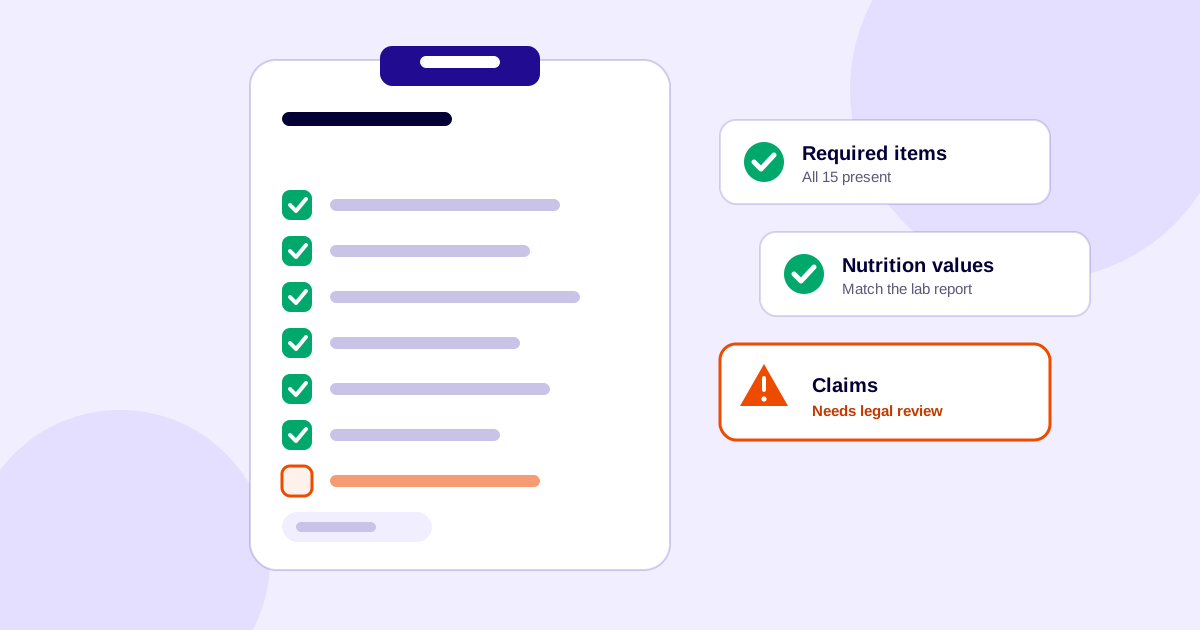
In many food companies, the legal or regulatory reviewer is the last person to see a label before print. Everything the food technologist and the designer got wrong has to be caught here. Every label gets the same checks, every mistake sends the file back, and a skipped check can stall the whole product.
1. Where the mistakes come from
| Who | Mistakes that reach the reviewer |
|---|---|
| Food technologist | Errors in the nutrition calculation, mistakes in the ingredient list, wrong ingredient names |
| Graphic designer | Font sizes below the minimum, the wrong barcode placed, values transposed during layout |
| Everyone, late in the process | Claims changed after approval, an old file sent to print |
None of these are careless people. Each person is working on one part of the label, and only the reviewer sees all of it together.
2. The checklist legal ends up keeping
Most reviewers build a personal checklist like this one, drawn from the FSSAI documents:
- Required particulars: all 15 items under regulation 5 are present (name, ingredients, nutrition, veg mark, additives, address, licence and logo, net quantity and price, batch, dates, instructions, allergens and the rest).
- Licence and logo: the brand owner's licence number and FSSAI logo in a contrasting colour, plus the packer's or manufacturer's number if they differ.
- Veg/non-veg mark: on the front of the pack, at least the minimum size for the panel area.
- Nutrition table: the term is “% RDA”, the values match the lab report for that exact SKU, and exemptions are applied only where they apply.
- Allergens: declared as clause 5(14) requires.
- Dates: the format is one of the accepted ones.
- Text size: minimum character heights for the panel area (regulation 6(3)).
- Claims: each claim meets the Advertising and Claims Regulations (for example regulation 6(1)(a) for “no added sugar”) and agrees with the label.
- Barcode and file: the barcode scans, and the file going to print is the approved one.
The tables and rules behind most of these are in which FSSAI labelling mistakes get food brands into trouble.
3. A new product means new research
When a product doesn't fit what the team has seen before, the reviewer has to search the regulations, work out what applies, and then make sure it is implemented. That takes time, and the interpretation often lives only in someone's head or an email thread. A few habits help:
- Start from the FSSAI compendium and FAQ, then check whether anything specific to your product category applies.
- Write down the rule, the source and the date for every judgement call, because the regulations are amended over time.
- Reuse that note the next time the same question comes up.
4. The rework loop
When a mistake is found, the label goes back to the food technologist or the designer, then returns for another full check. Each round repeats the whole checklist, not only the fix. If a check is skipped under time pressure, the mistake turns up later, in the worst case on a printed pack. Misbranded food can carry a penalty of up to ₹3 lakh, and misleading advertising up to ₹10 lakh (Food Safety and Standards Act, 2006, sections 52 and 53). For one example of what a late catch costs, see why designers dread the back of a food pack, where swapped nutrition values stopped a print run.
5. Taking the repetition out
The repeatable checks don't need a person's judgement every time. The judgement calls (claims, new categories, unusual packs) do. A better split:
- Automate the first pass. Run every label through an automated compliance check before it reaches legal, so the reviewer sees only what is flagged. The packaging compliance checker flags potential issues in artwork, and the nutrition table generator removes calculation errors at the source.
- Keep one approved source of data per SKU: lab values, ingredient names and licence numbers.
- Control versions, so the file that was reviewed is the file that is printed. This is the artwork-management side of Seventeen29: every product's artwork versions and approvals in one place.
- Save the reviewer's time for the exceptions, and write each decision down.
Frequently asked questions
What should legal check on every food label?
At minimum: all required particulars under regulation 5 of the Labelling and Display Regulations, 2020; the FSSAI logo and licence number; the veg/non-veg mark; the nutrition table (as % RDA, matching the lab report for that SKU); allergen declarations; date format; minimum character heights for the panel area; every claim against the Advertising and Claims Regulations, 2018; and that the file going to print is the approved version. Always confirm against the current regulation text.
Where do nutrition table errors usually start?
They can start at the calculation, at the ingredient data, or at layout when values are copied between SKUs. That is why each SKU's table should be checked against its own lab report.
How do I handle a product I haven't reviewed before?
Start from the FSSAI compendium and FAQ on the Labelling and Display Regulations and the Advertising and Claims Regulations. Check whether anything specific to your product category applies, and write down the rule, the source and the date for every judgement call, because the regulations are amended over time.
Can label review be automated?
The repeatable checks can be automated as a first pass, so a reviewer sees only what is flagged. Judgement calls, such as claims and unfamiliar product categories, still need a person.
Sources
- FSSAI: Compendium of the Labelling and Display Regulations (regulations 5, 6 and 8)
- FSSAI: FAQs on Labelling and Display
- Food Safety and Standards (Advertising and Claims) Regulations, 2018 (FSSAI-hosted copy)
- Food Safety and Standards Act, 2006, sections 52 and 53